
Cloudflare Is Probably Blocking Every AI Search Engine From Your Site Right Now
By Tim Dini | March 2026 | Field Notes
I almost missed this one entirely.
I was setting up Cloudflare for aeoseoengine.com. Standard stuff: CDN, security, performance. I’d done this before for other projects. Turn it on, configure the basics, move on to the next thing.
But this time I was building a site whose entire strategy depends on being visible to AI search systems. So I was paying closer attention than usual. And what I found in Cloudflare’s settings made me realize that millions of website owners are invisible to AI search right now and have absolutely no idea.
What Cloudflare Changed (and When)
Let me give you the timeline, because it matters.
On July 1, 2025, Cloudflare flipped a switch. Every new domain added to Cloudflare now blocks all known AI crawlers by default. That means GPTBot (OpenAI), ClaudeBot (Anthropic), PerplexityBot, and every other AI crawler that identifies itself gets a closed door unless you specifically open it.
This wasn’t a quiet update buried in a changelog. Cloudflare called it “Content Independence Day” and put out a press release. They framed it as protecting website owners from AI companies that scrape content without compensation. And they had the data to back up their reasoning: their analysis showed that Anthropic’s ClaudeBot makes roughly 71,000 requests for every single referral click it sends back to the sites it crawls. The economics of that exchange are, to put it politely, lopsided.
Then in September 2025, Cloudflare introduced the Content Signals Policy, which added another layer on top of the crawler blocking. Where robots.txt gives you a binary choice (allow a crawler or block it), Content Signals let you specify what a crawler can do with your content after it accesses it. Three categories: search (traditional indexing and link results), ai-input (using your content to generate AI answers in real time, like Perplexity or AI Overviews), and ai-train (using your content to train or fine-tune AI models).
That distinction matters. A lot. “You can index my content for search” and “you can feed my content into a language model” are fundamentally different permissions, and until Cloudflare’s system, there was no standard way to express that difference.
The Problem: The Default Is Set to “Block Everything”
Here’s where it gets dangerous for anyone who cares about answer engine optimization.
If you added your domain to Cloudflare after July 1, 2025, AI crawlers were blocked by default during setup. You would have seen a “Control how AI crawlers access your site” section, but the default selection was to block. If you clicked through without changing it (and let’s be honest, most people click through setup wizards as fast as possible), your site is invisible to every AI search engine.
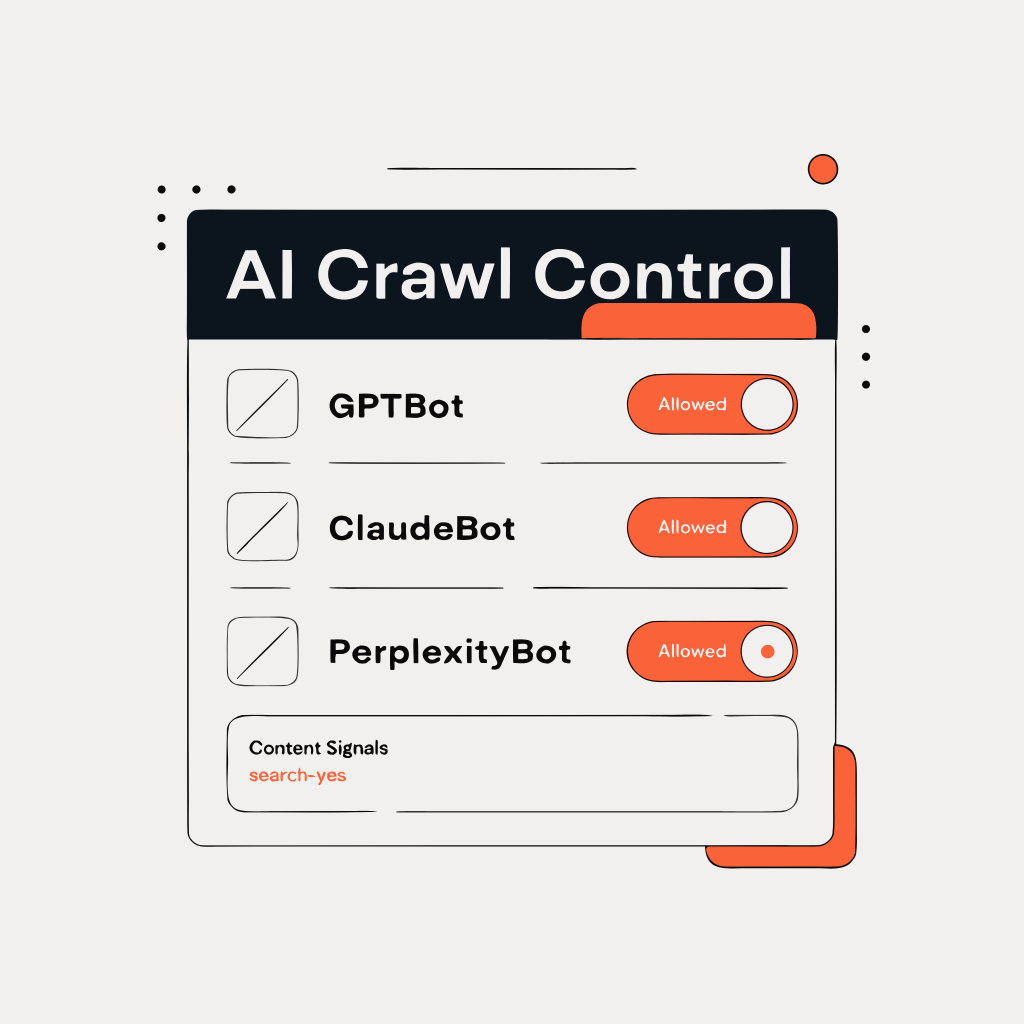
If your domain was already on Cloudflare before that date, the situation depends on whether you’ve touched the AI settings. Cloudflare rolled out an “AI Crawl Control” dashboard where you can see exactly which AI crawlers are requesting your content and choose to allow, block, or even charge each one. If you enabled their managed robots.txt feature (which Cloudflare has been encouraging), it includes directives that block AI training crawlers.
And if you’re on a free Cloudflare plan without your own robots.txt file and without the managed robots.txt feature enabled? Cloudflare displays the Content Signals Policy framework when crawlers request your robots.txt, but without expressing any specific preferences. That sounds neutral, but the practical effect depends on how individual AI crawlers interpret the absence of explicit “yes” signals. Some may crawl. Some may not. You’re leaving it to the crawler’s discretion, which is not a strategy.
The bottom line: unless you have specifically gone into your Cloudflare dashboard and configured the AI crawler settings to allow the crawlers you want, you should assume something is wrong. Check. Don’t guess.
Why This Matters More Than You Think
Think about the business owner who hired a good SEO agency, built great content following all the E-E-A-T guidelines, implemented proper schema markup, and then wonders why they never show up in AI search results. Their agency checks the content quality. Checks the technical SEO. Checks the schema. Everything looks perfect.
Nobody checks Cloudflare’s AI settings. Because until very recently, there was nothing to check.
Cloudflare protects roughly 20% of all websites on the internet. That’s not a niche CDN. That’s a fifth of the web. If even a fraction of those sites have default AI blocking enabled and don’t know it, we’re talking about millions of businesses that are doing everything right for AI search visibility except the one infrastructure setting that actually controls whether AI crawlers can reach them.
This is especially brutal for businesses in YMYL industries: lawyers, doctors, financial advisors, home services. These are the businesses that spend the most on digital marketing, compete in the most expensive keyword categories, and have the most to gain from showing up in AI search answers. If their Cloudflare settings are blocking AI crawlers, their competitors who don’t use Cloudflare (or who configured it correctly) are getting all the AI citations instead.
How to Check and Fix Your Settings
Here’s exactly what to do.
Step 1: Find the AI Crawl Control Dashboard
Log into your Cloudflare dashboard, select your domain, and look for AI Crawl Control. As of early 2026, this lives under the main navigation (Cloudflare occasionally reorganizes their dashboard, so if it’s moved, search for “AI” in their settings). You should see a Crawlers tab showing a table of every AI crawler that’s requested access to your site, how many requests they’ve made, and what action Cloudflare is taking on each one.
Step 2: Decide Your Strategy
This is not a “turn everything on” situation. You actually have a decision to make, and it’s worth thinking about for five minutes before you start clicking. There are three questions:
Do you want AI crawlers to index your content for search results? If you care about AEO at all, the answer is yes. These are the systems (Perplexity, ChatGPT Search, Google’s AI Overviews, Claude) that cite your content in AI-generated answers. Blocking them means you don’t exist in AI search. For most businesses, this is an easy yes.
Do you want AI systems to use your content for real-time AI answers? This is the ai-input category. It means your content gets pulled into RAG systems to generate answers. The upside: you get cited. The downside: the user might get their answer without clicking through to your site. This is a business judgment call.
Do you want your content used for AI model training? This is the ai-train category. Training means your content gets absorbed into the model’s weights permanently. No attribution, no citation, no traffic back to you. For most businesses, this is a no.
Step 3: Configure the Settings
In the AI Crawl Control dashboard, you can set allow/block per crawler. At minimum:
Allow: GPTBot (OpenAI), ClaudeBot (Anthropic), PerplexityBot, GoogleBot (already allowed by default, but verify), Bytespider (ByteDance, if you want TikTok’s AI search). These are the crawlers that power the AI search engines where your content can get cited.
Consider blocking: Crawlers identified primarily as training-only bots, or any crawler you don’t recognize. Cloudflare categorizes crawlers by type (AI crawler, AI assistant, archiver), which helps.
Step 4: Configure Content Signals (If Available)
If you’re using Cloudflare’s managed robots.txt, you can set Content Signals preferences that express your intent beyond simple allow/block. A sensible default for most businesses:
Content-Signal: search=yes, ai-input=yes, ai-train=noThis tells crawlers: index us for search, use our content for AI answers (with citation), but don’t absorb us into your training data. Whether every crawler honors these signals is a different question (Google, notably, hasn’t committed to respecting them), but expressing the preference is better than staying silent.
Step 5: Verify
After making changes, give it 24-48 hours, then check your AI Crawl Control dashboard again. You should start seeing “Allowed” status on the crawlers you enabled. If you have access to server logs, look for GPTBot, ClaudeBot, and PerplexityBot user agents in your access logs to confirm they’re getting through.
What I Did on This Site
For aeoseoengine.com, my configuration is straightforward because my strategy is straightforward. This site exists to be found, cited, and referenced by AI search systems. That’s the entire point.
AI search crawlers: All allowed. GPTBot, ClaudeBot, PerplexityBot, and every other AI search crawler Cloudflare identifies. I want every AI system that can cite content to have full access to every public page on this site.
Content Signals: search=yes, ai-input=yes, ai-train=no. I want citations and AI search visibility. I don’t want my content absorbed into training data without attribution. That’s a line I’m drawing based on principle, not paranoia, and it’s a line every site owner should think about drawing for themselves.
No per-section restrictions. Everything on this site is designed to be found. There’s no pricing page to protect, no gated content to restrict. Open access across the board for search and AI input.
Your configuration will probably look different than mine, and it should. A law firm might want to allow search indexing but restrict AI input on certain practice area pages. A restaurant probably wants everything wide open. An e-commerce site might allow product page indexing but block training on their proprietary product descriptions. The right answer depends on your business.
The Uncomfortable Reality
Here’s what bugs me about this whole situation. Cloudflare’s decision to block AI crawlers by default is defensible. The crawl-to-referral ratios really are terrible. AI companies really are extracting enormous value from content creators without adequate compensation. Cloudflare is standing up for their customers, and I respect that.
But the execution creates a problem that nobody is talking about. The people most likely to be hurt by default AI blocking are small business owners who set up Cloudflare for performance and security, never knew AI crawler settings existed, and are now invisible to an increasingly important search channel. They didn’t make a choice to block AI crawlers. The choice was made for them, and nobody told them.
If you’re reading this and you use Cloudflare, check your settings. Five minutes. That’s all it takes. If you know someone who runs a business website on Cloudflare, send them this post. The fix is trivial. The problem is not knowing there’s a problem in the first place.
I found this because I was paying close attention while building this site. That’s the whole point of the Field Notes series: I build in public, I find the gaps between how tools are supposed to work and how they actually work for AI search, and I write it up so you don’t have to learn the hard way.
If you want the monthly roundup of what matters in AI search, that’s The Punch List.
Found a Cloudflare quirk I didn’t cover? Reply to any Punch List email. I read every one.